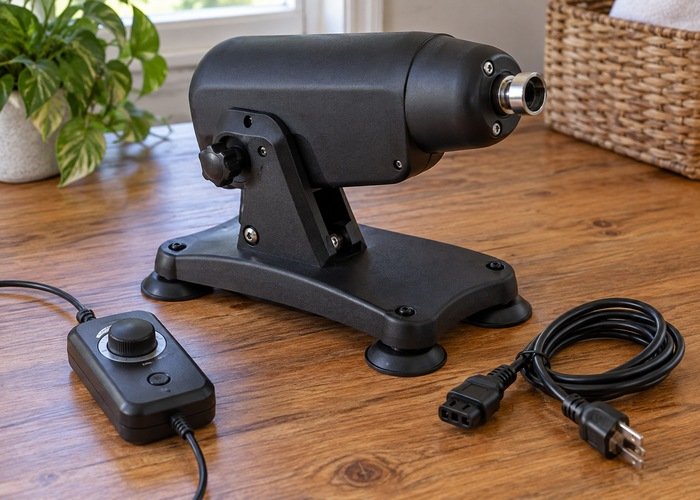
A powered toy machine inspection checklist begins with a simple decision: can you identify the exact model, obtain its instructions, and explain how to stop and disconnect it before assembling anything? If not, leave it unused while the seller resolves those gaps. A sturdy-looking housing or an attractive accessory bundle cannot answer questions about electrical compatibility, approved attachments, cleaning limits, or damaged parts. This guide covers non-graphic consumer inspection and ownership decisions, not bodily use, settings for stimulation, or a substitute for a manufacturer’s operating procedure.
Separate the inspection into documents, physical condition, installation requirements, controls, and aftercare. Each has its own evidence. A photograph can reveal a cracked foot but not prove electrical safety. A connector may appear to fit but still belong to an incompatible accessory. A clean exterior does not establish that water stayed outside the motor housing. Keeping those distinctions clear helps you ask useful questions instead of making a series of guesses that happen to look reassuring.
Start with the exact model, not the category name
Before unpacking small pieces, compare the model identifier on the equipment, packaging, invoice, and manual. Retail descriptions such as compact, universal, upgraded, and professional are not model numbers. If a seller changed the design but retained the same listing, an older review may describe different controls or fittings. Ask which instruction revision applies to the item actually delivered. Keep a local copy of that document and the order reference; a bookmarked listing can disappear or change without preserving your version.
When browsing the KissSelf product catalogue, treat the listing as the start of this check rather than its conclusion. Request clarification about anything that affects setup before purchase: the intended supporting surface, supplied power unit, permitted accessories, parts the owner may remove, and the procedure for reporting a fault. Do not assume that instructions for another machine in the same category are interchangeable. Missing answers are a reason to postpone the purchase, not an invitation to improvise.
Keep marketing promises separate from documented safety information. The Swedish Institute for Standards describes ISO 3533 as a standard addressing design and safety requirements for relevant intimate products. Its existence does not certify every item advertised as body-safe. If a particular seller claims compliance, ask for information identifying the exact product and scope. A broad claim about a material is not automatically a claim about the whole powered assembly.
Build a small evidence file before assembly
You do not need a complicated maintenance database. A folder containing the invoice, model photograph, supplied-parts list, manual, and support correspondence is enough to preserve the starting condition. Photograph the unpacked items on a clean surface before moving accessories between boxes. Include the controller and power unit so that a later support conversation can distinguish missing parts from parts that belong to a different device. Keep personal addresses and payment details out of any photograph you intend to share.
Use descriptive filenames rather than relying on memory: model-label, supplied-controller, adapter-label, and unpacked-parts are practical choices. Store the original images privately and send only the relevant crop when support requests evidence. A close view of a damaged connector should not need to include your room, face, or another person’s belongings. These are documentation habits, not a guarantee that a seller will accept a return or that any particular warranty applies.
Inspect the disconnected exterior in good light
Leave the machine disconnected while comparing the contents with the manual. Look at the housing, external cable insulation, connector surrounds, feet, removable covers, and visible fasteners without opening the motor enclosure. Distinguish a cosmetic packaging mark from a crack, loosened part, exposed conductor, missing protective piece, or component that appears displaced. If you cannot tell whether damage affects safety, do not energize the item just to see whether it still works. Document the concern and contact the supplier.
Do not tighten every visible screw as a general precaution. Some fasteners secure adjustments, some hold the enclosure together, and others may not be intended for owner access. Follow only the assembly actions assigned to the user in the correct instructions. Keep included tools with the manual so they are not mistaken for permission to dismantle anything that looks accessible. The absence of a warning sticker on a particular screw does not establish that removing it is appropriate.
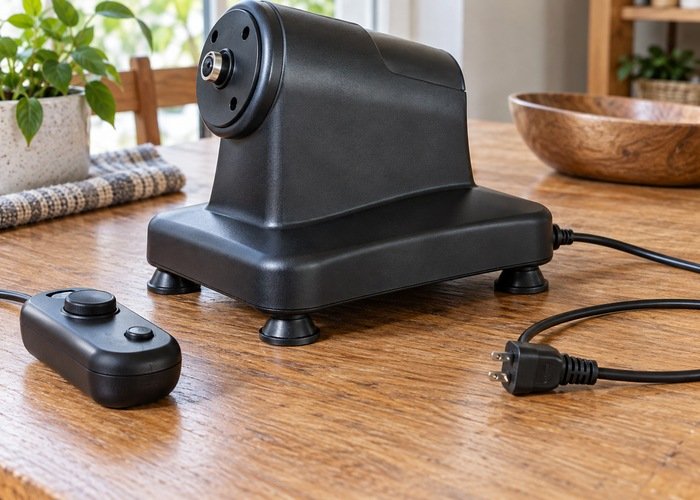
Match the power equipment without experimenting
Keep the supplied adapter with the machine it belongs to. Similar barrel connectors, USB shapes, or removable mains leads do not establish interchangeable electrical requirements. Compare the equipment and adapter information with the manufacturer’s documentation, including any specified cable or charging restrictions. When labels conflict, are missing, or cannot be read, stop and ask for the correct replacement information. Do not select an adapter by guessing that a higher rating will make the machine work better.
Electrical Safety First’s plug and cable safety guidance includes checking the condition of plugs and flexible cables with equipment unplugged. Use that as a general reminder to notice damage, not as training to repair wiring. A cable trapped under furniture, a damaged plug, or a connector that becomes loose deserves attention before the appliance returns to service. Repairs to powered equipment should follow the maker’s support process rather than improvised tape, splices, or replacement internal parts.
For rechargeable models, do not confuse a claim about the battery cell with independent evaluation of the complete product and charger arrangement. UL Solutions explains battery safety testing and certification services, which illustrates why the scope of a testing claim matters. Ask the seller what its own claim covers and how it identifies this model. Do not interpret an unfamiliar symbol or a laboratory name in a listing as evidence you have personally verified.
Read surface requirements as requirements
The correct supporting surface comes from the machine’s instructions, not from whichever table is convenient. Check whether the manufacturer requires a particular mounting arrangement, surface finish, clearance, or orientation. A suction fixture, clamped fixture, and freestanding base use different methods of support. A surface that looks flat may have a flexible top, loose joints, a textured finish, or an edge unsuitable for a specified clamp. Do not substitute one mounting method for another to work around a poor fit.
Consider the surrounding room as well as the equipment footprint. Identify nearby liquids, loose fabrics, fragile objects, trailing cables, and furniture that someone may move. Keep required ventilation openings unobstructed. Do not use a blanket as an improvised vibration pad or add weight to a base unless the manufacturer explicitly provides for it. If the only available location conflicts with the instructions, the practical result of the inspection is that this location is unsuitable. Buying another accessory does not necessarily resolve that mismatch.
Separate attachment fit from material suitability
There are at least two different compatibility questions. First, is this exact accessory approved for the machine’s connector and operating arrangement? Second, are its material and cleaning requirements suitable for its intended purpose? A positive answer to one cannot supply the other. An attachment can have a material description you recognize yet use an unsupported fitting. Conversely, a fitting can lock into place while its material instructions remain incomplete. Obtain both sets of information before considering the accessory ready.
Ask for an explicit compatible model or part identifier rather than relying on the word universal. Do not modify a base, trim a collar, drill a fitting, add an improvised adapter, or force a connector to make it engage. Keep loose parts away from the powered mechanism while following the documented assembly procedure. The KissSelf materials guide can help organize questions about surfaces and care, but it cannot certify a particular mechanical connection or replace the accessory maker’s instructions.
Identify stop, off and disconnected as different states
Find the instructions for the normal stop control, main power control, and disconnection procedure before the machine is powered. A pause setting, remote command, screen icon, or low setting may not mean the same thing as a fully stopped and safely disconnected device. Note whether the manual describes behavior after a power interruption or remote connection loss. If that information is absent, ask support instead of discovering the behavior during bodily use. A device that can start unexpectedly is not something to troubleshoot casually.
The UK’s Health and Safety Executive discusses stopping machinery and isolating energy before maintenance in its work-equipment maintenance guidance. That source concerns workplaces, not instructions for an intimate consumer product. The limited principle relevant here is to avoid working around powered moving parts and to follow the specific manufacturer’s safe maintenance procedure. It does not supply a universal household isolation method, authorize internal repairs, or establish that a particular product is safe.
If the manual calls for a functional check, follow its exact conditions and exclusions. Do not invent a test by placing fingers near moving fittings, restraining a moving part, adding a load, or deliberately disconnecting controls to provoke a fault. Any discrepancy between the documented controls and the delivered machine should go to support. The guide to startup memory and control behavior explains why control labels alone may not answer ownership questions; model-specific instructions remain decisive.
Plan cleaning by component before anything gets wet
Make separate notes for the powered base, removable accessory, controller, charger, and storage case. Do not apply the most generous cleaning instruction from one component to all the others. A removable washable part does not make the connector beneath it washable, and a splash-resistant housing does not automatically permit immersion. Locate the precise directions for approved cleaning agents, disassembly, rinsing, drying, and reassembly. Where the documentation is unclear, ask before introducing liquid rather than trying to dry out a mistake afterward.
The water-resistance checklist can help distinguish a rating from the manufacturer’s actual care instructions. Treat the model’s restrictions around ports, seals, and accessories as important even when a listing uses a broad waterproof description. Do not power a component that may have liquid inside it to test whether drying worked. Disconnect it as directed, keep it out of use, and seek manufacturer advice. Visible dryness is not evidence about the condition of enclosed electronics.
Use a decision sheet with a real hold column
A checklist is useful only if an unresolved item changes what you do. Marking every row as acceptable because the product arrived new defeats the purpose. Keep a separate hold column for questions that need a document, a replacement part, or a written answer. The following examples are decision categories, not measurements or acceptance limits. Your model may impose additional checks, and nothing in this table authorizes use that its instructions prohibit.
| Question | Evidence to retain | Reason to leave unused |
|---|---|---|
| Does the manual match? | Model identifier and instruction revision | Different controls or unlisted parts |
| Is the power unit specified? | Supplied unit label and maker’s confirmation | Missing label or conflicting requirements |
| Is the supporting arrangement permitted? | Model-specific mounting instructions | Improvised clamp, padding or unsuitable surface |
| Is the accessory approved? | Compatible part identifier | Forced fit or unapproved adapter |
| Are care limits clear? | Separate directions for each component | Uncertain liquid exposure or drying procedure |
Make support requests specific and private
A useful support message states the model, order reference, component involved, and the exact mismatch you observed. For example, an illustrative question could ask whether the supplied controller matches the manual because the pictured stop control differs. Attach a relevant product-only photograph and request written clarification before proceeding. Do not send intimate images or demonstrate the concern on your body. A supplier should be able to discuss a connector, missing foot, cable label, or instruction discrepancy using ordinary product evidence.
Keep separate records of observed facts and your interpretation. “The casing has a visible crack beside the connector” is more informative than “the machine is probably dangerous.” Likewise, “the adapter model is not listed in the manual” is more useful than assuming a counterfeit. Documenting a concern does not require assigning blame. Preserve the packaging and affected part while waiting for the seller’s instructions, and do not mail a damaged battery or powered product without appropriate handling directions.
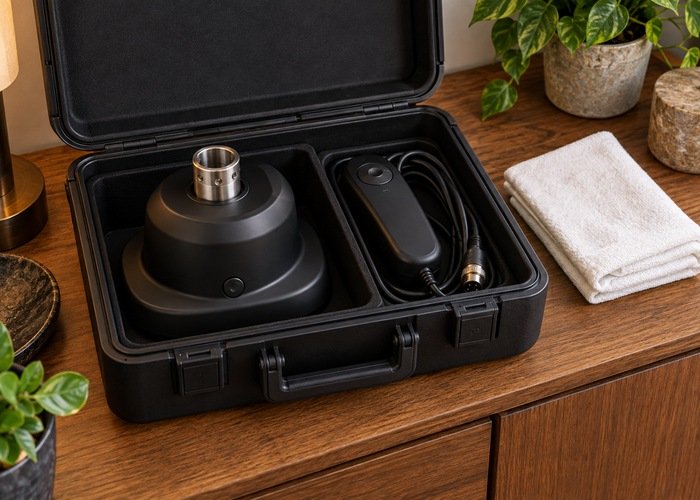
Store the evidence and equipment for the next check
After the manufacturer’s care procedure is complete, store the equipment so parts remain identifiable and protected from damage. Keep cables loosely arranged rather than pinched beneath the base. Avoid stacking heavy objects on controls or connectors. Do not pack damp accessories with electronics, and keep small removable parts in their own compartment if the maker permits that storage arrangement. Retaining the parts list with the case makes it easier to notice a missing component before the next assembly.
The KissSelf storage guide covers general drying and separation questions. For battery-powered equipment, follow the product’s particular storage instructions instead of borrowing a charging interval from another model. If the product reaches the end of its life, the EPA advises keeping lithium-ion batteries and devices containing them out of household garbage and ordinary recycling bins. Contact the appropriate local collection service for handling instructions, especially for damaged equipment; do not open a sealed product merely to extract its battery.
Record any manufacturer-directed replacement or service alongside the date and part identifier. Do not invent a universal service interval: a specified inspection schedule for one model is not automatically suitable for another. If the equipment changes owner, pass along the matching instructions and known fault history rather than leaving the next person to reconstruct them from a listing. Remove personal order information from shared documents while retaining the product identifiers needed for support. A clear record is especially useful when a replacement controller looks almost identical to the original but has a different part number.
Frequently asked questions
Does a low speed make an uncertain setup acceptable?
No. A lower setting does not establish connector compatibility, repair a damaged cable, or make an unsuitable supporting surface appropriate. Resolve the underlying uncertainty with the correct instructions and manufacturer support. A setting is an operating choice, not a substitute for checking whether the equipment should be operated at all.
Can I use photographs from a review as assembly instructions?
Reviews can suggest questions, but a photograph may show a different revision, an unapproved accessory, or an arrangement the manufacturer does not recommend. Match your own model and its instructions. If the official documentation and a review disagree, ask the maker to resolve the difference rather than copying the arrangement that appears easier.
What if the machine looks fine but the manual is missing?
Obtain the correct manual before assembly or operation. Appearance cannot tell you the approved power arrangement, care restrictions, control behavior, or compatible parts. If the seller cannot provide adequate instructions identifying the delivered model, consider the item unresolved rather than ready. Keep it unused while discussing the available options with the seller.
The value of a powered toy machine inspection checklist is the decision it produces. Sometimes that decision is to proceed only with the manufacturer’s documented next step; sometimes it is to leave the product unused and request support. Keeping unresolved questions visible is more useful than forcing every check to pass. Clear identification, compatible components, and understandable instructions should come before any attempt to operate powered equipment.