A vibrator with many modes is not necessarily easier to control than one with a few. Before buying, find out what happens at startup, how you move backward through settings, whether the last selection is remembered, and how you stop the device without searching through a menu. Those details determine whether the advertised choices are convenient choices or simply a longer list to navigate.
This guide treats vibrator mode counts as a control-interface question. It does not prescribe sensations, preferred intensity, or a universal operating sequence. The goal is to compare products by their documented behavior: the starting state, the effect of each button, the information shown to the owner, and the steps needed to return to a known state. A well-explained product makes those answers available before purchase.
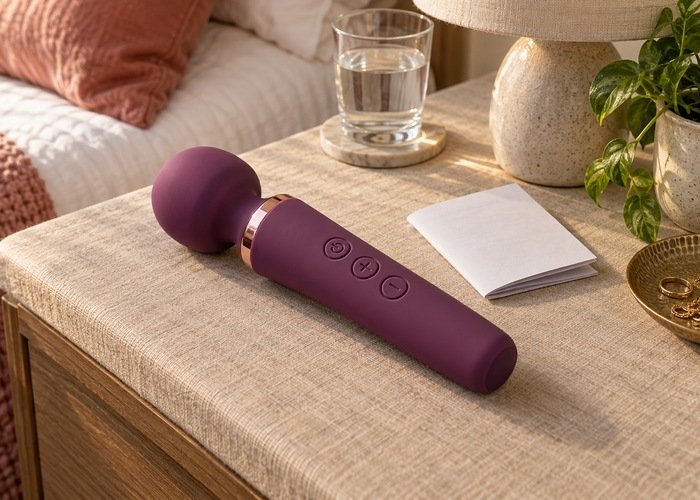
When browsing the vibrator collection, save a photograph of the controls along with the manual. Product photographs may show an impressive display or a minimal handle without explaining how either works. Read the control description separately from the feature list. You should be able to describe the basic operation in ordinary language without guessing what an unlabeled symbol means.
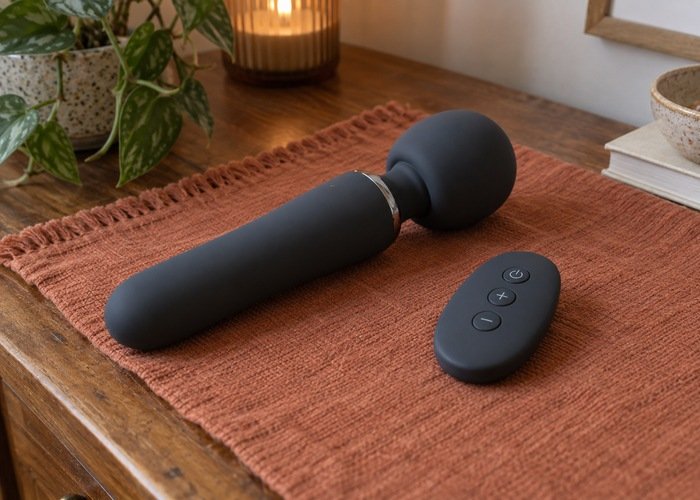
Separate intensity levels, patterns, and operating functions
A mode total may combine different kinds of choice. One product may count intensity levels, another may count repeating patterns, and another may multiply several settings across two independent functions. Without a breakdown, the totals cannot tell you how many changes you will actually make or how many controls are needed to make them. Ask the seller what the number includes.
Intensity and pattern are not interchangeable labels. A product may offer a steady operating pattern with several selectable levels, or multiple patterns whose level cannot be changed separately. Two products advertising the same total can therefore have different control layouts. Request a table or manual section showing which settings are independent and which arrive as preset combinations.
Also ask whether every advertised function is available from the physical controls. An app may expose options that the handle or remote cannot select. That may suit an owner who wants phone-based customization, but it changes the meaning of the headline number. Evaluate the features you can access through the control method you expect to use, not a theoretical maximum that depends on equipment you do not want nearby.
Make startup behavior your first comparison
Write down the answer to this question for every shortlisted model: after switching on from a fully powered-off state, what does it do first? Possibilities should come from the actual manual, not assumptions. The product might enter a standby state, start at a specified setting, or recall a previous selection. Those are materially different behaviors even if the devices have identical buttons.
A last-setting memory can save repeated navigation, but it also requires you to know what was saved. Ask whether memory includes the pattern, intensity, selected function, or a combination. Find out when the setting is saved and whether the behavior changes after charging or a complete battery discharge. If the documentation is silent, treat memory as an unanswered question rather than a convenience already established.
Power, pause, standby, and lock should not be treated as synonyms. A paused device may resume differently from one that was switched off. A locked control interface may prevent button input without necessarily behaving like electrical power-off. Record the exact meaning of each state for the model. The best control system for you is one whose transitions remain understandable when you return to it after a break.
Read the manual as a sequence of actions
The Swedish Institute for Standards describes user information as part of the scope of ISO 3533. That does not certify a particular product. It does support taking instructions seriously as part of the product rather than treating them as optional packaging. A long mode list cannot compensate for an unclear explanation of how to stop or change a function.
For each button, note what a short press does, what a sustained press does, and whether any combined-button action is documented. Avoid inventing a duration from experience with another device. A control may change modes with a short press and switch power with a longer press, while another uses separate controls. The difference matters when you are trying to perform a specific action predictably.
Check whether the manual uses the same symbols as the actual device. A diagram showing different button positions or a different model name deserves clarification. Keep the matching manual rather than a generic instruction sheet for a product family. If a seller provides only a promotional video, ask for a written explanation you can consult without replaying a sequence every time.
Compare the path back, not just the path forward
| Control arrangement | What to establish | Why the answer matters |
|---|---|---|
| One button cycles through settings | Order of settings, end-of-list behavior, and separate stop action. | Returning to a previous choice may require traversing the remaining list. |
| Separate increase and decrease controls | What each control changes and what happens at either end. | Reverse navigation may be direct, but only for the setting those controls govern. |
| Separate pattern and level controls | Whether changing one preserves the other. | The same pattern can behave differently if another selection changes with it. |
| Touchscreen or app menu | Labels, current-state feedback, direct selection, and local hardware stop. | More visible choices can help only if the required action remains reachable. |
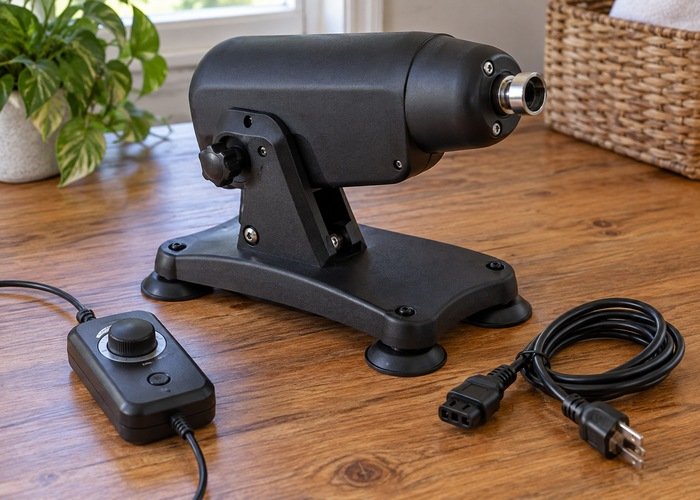
| Multiple independently powered functions | How each function is selected, identified, and switched off. | A single change may not affect every active component. |
A hypothetical example makes this concrete. Suppose one device has a single cycling control and another has separate forward and backward controls. Neither layout is automatically superior. The first may be easy to learn with a short list; the second may make correction easier when there are many options. What matters is the documented path to the setting you want, including what happens when you pass it.
Do not test an unfamiliar sequence against the body simply to discover what comes next. Read the instructions first and, where the manufacturer permits, familiarize yourself with the controls in an ordinary non-contact setup. Keep the product secure and away from surfaces that could let it roll or fall. Stop the check if behavior differs from the manual instead of repeatedly pressing buttons to force a result.
Look for feedback that identifies the current state
Ask what the display, indicator light, or other feedback actually communicates. A light may show power, charging, connection, or a selected mode; its meaning depends on the model. Color alone may not be useful to every owner, and an icon may be difficult to distinguish at the viewing distance you normally use. A clear legend is more valuable than an attractive photograph of an illuminated screen.
For an app or web-based controller, labels should identify what a control does rather than relying on an unexplained decorative symbol. The W3C tutorial on labeling controls describes this principle for web interfaces and assistive technologies. It is not a test certificate for physical vibrator buttons. Use it to ask concrete questions about the digital interface: can you identify the selected function, its current value, and the action that will stop it?
Consider confirmation as well as selection. A screen that changes after a tap may be showing the requested value rather than a confirmed device response. Ask the manufacturer how connection status and received commands are represented. Do not assume that a moving slider proves the remote device has changed state. When the display and the physical product disagree, stop and resolve the discrepancy through the documented controls.
Match the buttons to your hands and viewing needs
A small button can be difficult to distinguish from its neighbors even when the overall product is comfortable to hold. Look at spacing, raised or recessed placement, visible contrast, and whether gripping the handle covers the controls. Ask for a clear close-up instead of relying on a distant lifestyle photograph. No photograph can guarantee comfort, but it can reveal whether the important controls are hidden from view.
Separate actions should feel and look distinguishable enough for your needs. An owner who has difficulty maintaining a prolonged press may prefer a different control arrangement from someone who mainly wants to prevent accidental taps. State the requirement directly when asking the seller: independent power control, easier reverse navigation, larger controls, or a readable state indicator. Avoid assuming that a design described as simple serves every accessibility need.
For digital interfaces, W3C’s discussion of target size explains why small or closely spaced interactive targets can be difficult to operate. Those web criteria are not physical-button measurements for this product category. The useful purchasing question is whether the actual app can be operated accurately on your phone with your usual accessibility settings, rather than whether its promotional screenshot looks spacious.
Check the app without assuming the phone solves everything
Phone-based controls may offer readable names and direct selection, but they add a separate interface to learn. Find out whether the app supports your operating system and whether basic operation requires an account or ongoing connection. Keep this distinct from the hardware comparison. Our remote versus app-controlled vibrator guide covers the broader choice of control method.
If you use a screen reader, ask about the actual app rather than assuming every app inherits complete accessibility from the phone. Apple explains how to turn on and practice VoiceOver on iPhone. That establishes what the phone feature does, not whether a particular connected-product app labels its controls correctly. Request a demonstration or accessibility information for the app version you would use.
Keep permissions and privacy questions in a separate checklist so they are not lost among mode settings. The vibrator app permissions checklist addresses that account and access lifecycle. A large library of settings does not reduce the need to understand who can connect, what notifications appear, and how access is removed when the product changes hands.
Ask what happens when the connection changes
A wireless control path can be interrupted. Apple’s wireless-interference guidance explains that interference can cause Bluetooth devices to disconnect or perform poorly. This is general connectivity information, not a test of a particular vibrator. Do not translate a range claim into a guarantee that a command will always arrive in a particular room. Ask what the specific product does when its connection is lost.
Does it stop, continue at the last setting, or enter another documented state? What happens when it reconnects? Those answers must come from the manufacturer. Avoid assuming the behavior of a different device applies. Establish the local power-off method before relying on a phone or remote, and do not use a connection-loss experiment as a substitute for a clear operating manual.
Unexpected behavior should not lead to a rapid series of repeated commands. Use the documented local stop, confirm the device state, and review the connection instructions. If the same fault recurs, record the model and app version and contact support. Do not open the housing, modify the firmware, or continue operating a product that cannot be controlled as described.
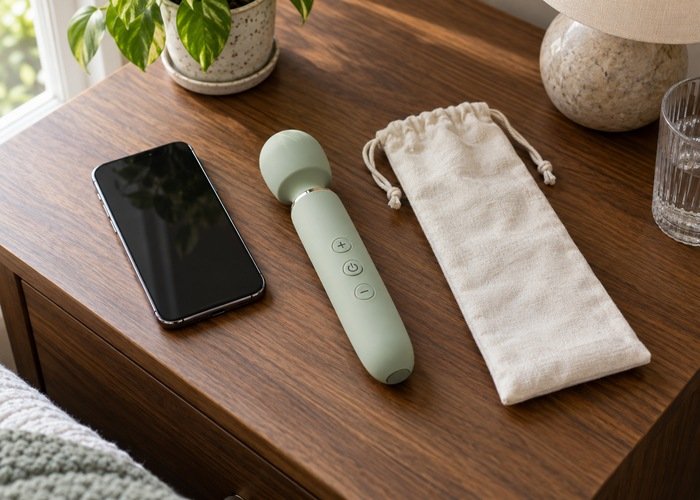
Keep a short control card with the product
If another adult also operates the controls, make sure each person can identify the same stop action and understands the current setting. Familiarity should not depend on one person remembering an obscure sequence for everyone else. Explain changes before handing over a remote, and keep the physical unit accessible. Clear shared understanding matters more than demonstrating every available mode.
Once the manufacturer has answered the important questions, make a small personal reference using its instructions: startup state, normal change action, reverse action if available, local stop, and lock or unlock sequence. Include the model name and manual location. This is a memory aid, not a replacement for warnings or a reason to shorten a required operating sequence.
Review that card if the app, firmware, or product is replaced. A familiar exterior does not guarantee identical behavior across versions. If an update changes the control interface, read the accompanying instructions before depending on the old sequence. Keep older notes clearly separated so that a remembered action from a previous device does not become an accidental instruction for the new one.
Include storage in the control check. Follow the specified shutdown and travel-lock instructions before packing, and keep the device protected from unintended button pressure. The traveling with sex toys guide covers related packing considerations. Do not assume a pouch prevents activation or that a screen going dark confirms the product is fully switched off.
A purchase checklist that fits on one page
Keep this interface comparison separate from choosing a comfortable personal setting. The first-time vibrator settings guide addresses that different question. Here, the useful outcome is knowing what an action will do before you perform it. A product can have many available settings yet still be a poor match if its control sequence is difficult for you to remember.
- The mode total is broken down into levels, patterns, and independent functions.
- The initial state after power-on is explicitly documented.
- Memory behavior is explained separately from pause and standby.
- The route to a previous setting is clear, including end-of-list behavior.
- The local stop action does not depend on a working wireless connection.
- Buttons, labels, and feedback suit the owner’s handling and viewing needs.
- The app’s actual accessibility and connection-loss behavior have been checked where relevant.
If two candidates both meet those requirements, compare the extra features you genuinely want. A mode you can select directly and recognize reliably may be worth more than several unnamed presets. Conversely, a longer list can be useful when it is well organized and easy to navigate. The number itself is neither a warning sign nor a guarantee of better design.
Frequently asked questions
Are more vibrator modes better?
Only if the additional choices serve a purpose and remain easy to select, identify, change, and stop. Compare the breakdown of the total and the control sequence. A short, predictable list may suit one owner, while another prefers a larger well-labeled interface with direct selection.
Does memory always restore the same setting?
Do not assume that. Ask exactly what the model remembers, when it saves the selection, and what happens after charging or complete power loss. Memory may refer to only part of the operating state. Use the documented behavior for the specific model and version.
Is one-button control always simpler?
It uses fewer physical controls, but may assign several actions to the same button or require forward cycling through a list. Simplicity depends on the task you need to perform. Check the stop action and the route back to a previous setting, not just the button count.
What should I prioritize if the manual is unclear?
Request a clear model-specific explanation before buying. Uncertain startup or stop behavior is not a feature to discover through trial and error. A useful vibrator mode count comparison ends with predictable operation and readable instructions; if those are missing, choose a better-documented alternative.