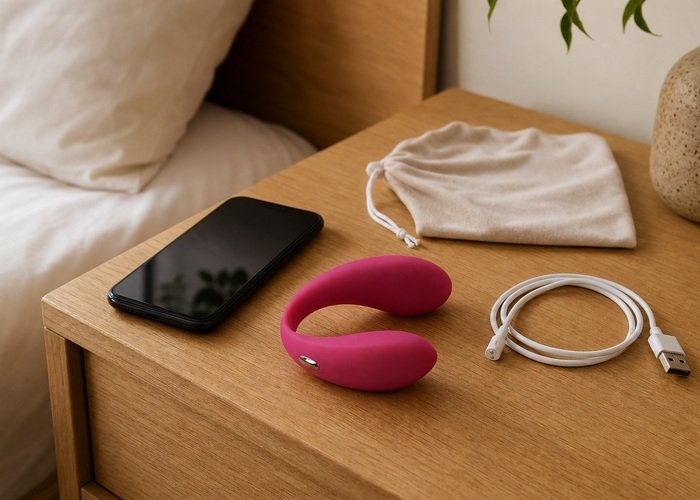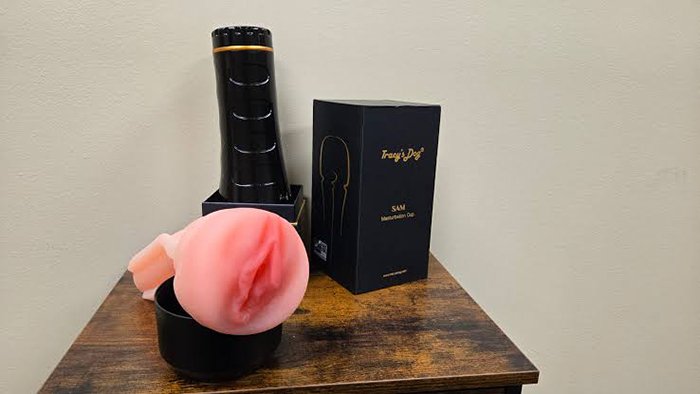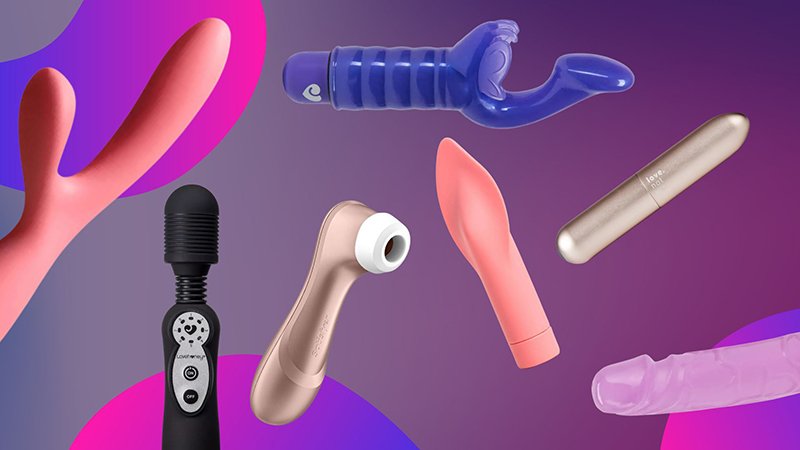
Modern intimate devices are no longer simple motors in a plastic shell — they’re sophisticated electrical systems that demand the same care and attention as any premium consumer electronics.
The contrast with legacy battery-operated toys is stark. Swap out two AAs, and you’re back in business. Today’s high-end devices are built around integrated lithium-ion battery systems — sealed, rechargeable, and sensitive to treatment over time. According to Battery University by Cadex Electronics, lithium-ion batteries typically lose 20% of their capacity after just 300 to 500 full charge cycles. For a device used several times a week, that degradation timeline arrives faster than most owners expect.
Electrical demands have increased. Contemporary devices don’t run a single motor — they orchestrate several simultaneously. A product featuring Triple Stimulation technology — combining suction, flapping, and vibration — draws on three separate motor systems at once. Each function has its own voltage requirements, and running them in combination creates real electrical load. Undercharging before a session, or using a degraded battery, doesn’t just reduce runtime. It can cause inconsistent power delivery that disrupts the precise pressure differentials that suction and flapping mechanisms depend on to function correctly.
This voltage sensitivity matters more than most people realize. Knowing how to charge a butt plug, a suction vibrator, or any sealed intimate device isn’t just a practical question — it’s a preservation question. These products are crafted from medical-grade silicone and body-safe polymers that represent a significant investment, and the battery is the beating heart that determines how long that investment performs at its peak.
Framing charging as a ritual — rather than an afterthought — is the mindset shift that separates devices that last two years from ones that last five. And that ritual starts at the point where power actually enters the device: the charging interface itself.
The Physics of Connection: Magnetic vs. DC Pin Charging
How you charge your device matters as much as how you clean it — the charging interface directly determines waterproof integrity, hygiene safety, and long-term reliability.
The shift from open DC ports to magnetic interfaces represents the single biggest leap in intimate device engineering of the last decade. Early devices used exposed barrel connectors or micro-USB ports — functional, but fundamentally incompatible with the wet environments these products are designed for. Charging sex toys safely has become a genuine engineering priority, not an afterthought, and the charging port is ground zero for that challenge.
Charging interface types, ranked by safety and hygiene:
- Open DC barrel ports — Legacy design. Moisture intrudes easily, and residue accumulates in the cavity. Limits waterproofing to IPX4 splash resistance at best.
- Micro-USB / USB-C open ports — More universal, but physically identical problems persist. A rubber plug helps, but degrades with repeated use.
- Recessed pin connectors — A modest improvement. Smaller exposure area, but biofilm — the thin layer of microorganisms that colonizes moist surfaces — can still colonize the recessed cavity over time.
- Magnetic charging contacts — The current gold standard. No open port means no cavity for moisture or biofilm to accumulate.
According to IEC Standard 60529, magnetic charging ports are superior for waterproof devices because they eliminate the open DC cavities where both moisture and biofilm build up — a critical factor for devices achieving IPX7 (submersible to 1 meter for 30 minutes) or IPX8 ratings.
Biofilm risk is real and underappreciated. A traditional port that isn’t thoroughly dried after water exposure becomes a colonization point, regardless of how well the device’s outer surface is cleaned.
For anyone researching high-tech stimulation options, confirming that a device uses magnetic charging — not an open port with a rubber cap — should be a non-negotiable checklist item. A secure magnetic connection also prevents incomplete charging cycles, which leads directly to the battery and circuitry problems the next section addresses.
The Fast Charger Trap: Protecting Sensitive Circuitry
Grabbing the nearest USB-C cable and a high-wattage phone charger is one of the most common — and most damaging — mistakes intimate device owners make.
Physical compatibility does not equal voltage compatibility. A USB-C port on your device may accept any USB-C cable, but the electronics inside are engineered for a precise power input. Modern smartphone chargers routinely deliver 18W, 45W, or even 65W through USB-C negotiation protocols. The compact motor in a suction-and-tapping device — including those built on triple stimulation technology maintenance-sensitive architecture — is designed for nothing close to that.
Voltage compatibility: Many users assume that because a charger “fits,” it’s safe. In practice, a device’s internal charging circuit may lack the protection chips found in smartphones. Without proper regulation, excess voltage pushes more current than the motor’s thermal tolerance allows.
Thermal risk is significant. According to the Sexual Health Alliance, overcharging a device or using a non-regulated wall adapter can lead to “thermal runaway,” which degrades the medical-grade silicone exterior over time. Beyond surface damage, internal overheating directly degrades the motor responsible for suction and rhythmic tapping — the core mechanics that create the sensations described in resources like this clitoral stimulator guide. Once motor windings are heat-damaged, vibration intensity drops permanently.
The importance of the 5V standard. The intimate device industry has broadly converged on two safe adapter outputs:
- 5V/1A (5W) — The conservative standard for most compact devices
- 5V/2A (10W) — Acceptable for larger devices with bigger battery cells
⚠ Warning: Never use a “fast charge” adapter above 10W on any intimate device unless the manufacturer explicitly states otherwise on the product spec sheet.
The takeaway is straightforward: always use the original adapter supplied in the box, or a verified 5V replacement. This same principle becomes especially important when dealing with devices that have discreetly positioned charging ports — a challenge we’ll address next.
Charging Your Specialized Gear: From Dildos to Butt Plugs
Not all intimate devices charge the same way — form factor determines everything, and ignoring those differences is a fast track to a dead battery or a damaged port.
Different product categories present unique charging challenges that owners frequently overlook:
- Butt plugs with weighted bases: The charging port is often recessed into the flat base, sometimes concealed beneath a silicone flap or molded lip. Run your fingertip around the entire perimeter before assuming a device is non-rechargeable. Forcing a magnetic puck or DC pin at the wrong angle cracks the port housing — a repair that typically voids the warranty entirely.
- Lifelike dildos with internal vibration units: These devices distribute motor weight across a longer body, which means the charging contacts are rarely centered where you’d expect them. Check the manufacturer diagram, not intuition. Because the silicone jacket is thicker on these models, heat from improper chargers builds up faster — another reason the previous section’s guidance on avoiding high-wattage adapters applies directly here. The [USB Implementers Forum (USB-IF)](https://www.usb.org/) confirms that 5V/1A or 5V/2A USB wall adapters remain the industry standard for safely powering multi-motor wellness products.
- Suction and dual-stimulation toys: Models combining internal and external motors — like many [vibrators designed for partnered use](https://kissself.com/the-ultimate-guide-to-using-a-clitoral-stimulator-how-to-use-it-to-have-the-best-pleasure-possible.html) — often use magnetic charging vs DC pin designs specifically because waterproofing demands it. Magnetic contacts must seat flush; even a slight tilt breaks the circuit and the device simply won’t charge without any error indication.
⚠️ Safety Warning: Never connect a charging cable — magnetic or DC pin — to a device that isn’t completely dry. Residual moisture trapped in a port causes micro-corrosion that compounds with every charge cycle. Pat the area dry, then wait a full 10 minutes before connecting.
During the charging cycle itself, keep devices laid flat on a clean, breathable surface — not bundled inside a storage pouch. Trapped heat during charging degrades battery cells over time, a problem that connects directly to how you manage the full lifecycle of your battery, which the next section addresses in depth.
The Lithium-Ion Lifecycle: Avoiding the ‘Deep Discharge’
Proper lithium-ion battery care for wellness products is the single most overlooked factor separating devices that last two years from those that barely survive six months.
Letting your device hit 0% is one of the most damaging habits you can develop. According to Battery University by Cadex Electronics, deep discharging — draining a lithium-ion cell completely — causes irreversible stress on the battery’s internal chemistry, permanently reducing its total capacity with each occurrence. For devices running triple-action motors, that capacity loss translates directly into shorter sessions and weaker performance over time.
The 80/20 rule is the gold standard for premium wellness electronics. In practice, this means:
- Charge before you hit 20% — don’t wait for a low-battery warning to become a dead-battery emergency
- Stop charging around 80% rather than leaving the device plugged in overnight
- Avoid full 0–100% cycles as routine behavior; partial charges are actually gentler on lithium-ion cells
This habit alone can significantly extend the usable lifespan of sophisticated devices, including multi-function toys with complex motor systems that place higher demands on battery output.
Long-term storage requires a separate strategy entirely. The 50% rule applies here: store any device you won’t use for several weeks at roughly half charge, in a cool, dry location away from direct sunlight. A fully charged battery sitting idle degrades faster than one stored at mid-capacity.
Pro-Tip — Storage Mode: Before putting a device away for a month or more, charge it to approximately 50%, power it off completely, and store it at room temperature. Revisit it every 4–6 weeks to top it back up to 50% if needed.
Recognizing a failing battery early saves frustration. Watch for these warning signs: noticeably shorter run times despite a full charge, a device that powers off unexpectedly above 10% indicated charge, or a battery that takes far longer to reach full capacity than it used to.
If any of these symptoms appear alongside charging issues — like an LED that simply won’t respond — the next section on troubleshooting will help you identify whether the problem is the battery, the cable, or something else entirely.
Troubleshooting: When the Lights Don’t Blink
A device that won’t charge is almost never broken — it’s almost always a fixable connection problem you can solve in under five minutes.
The most common culprits, according to industry troubleshooting standards, are a loose magnetic connection, dirty contacts, or a power source that doesn’t match the device’s USB charging standards for adult toys. Working through a short, logical sequence eliminates each variable fast.
Step 1: Clean the contacts. Magnetic charging pins collect body-safe lubricant residue, lint, and moisture over time. Dampen a cotton swab with isopropyl alcohol (70% or higher), wipe both the device-side contacts and the charger pins firmly, then let them dry fully before reconnecting. Even a thin film of residue breaks the circuit.
Step 2: Test the cable, then the power source. Swap the cable for a known-working one first. If the LED still doesn’t respond, plug into a different USB port — wall adapter instead of laptop, or vice versa. Many high-end devices require a minimum amperage output that underpowered ports can’t deliver.
Step 3: Wait through the wake-up period. A deeply depleted lithium-ion cell (covered in the previous section) can take 10–20 minutes before it generates enough voltage to trigger the LED indicator at all. Leave the device connected to a reliable power source and check back — don’t assume failure immediately.
Step 4: Inspect the charging interface. Look closely at the magnetic contact area or port for bent pins, corrosion, or cracks in the casing. Physical damage here typically requires manufacturer support rather than a DIY fix.
| Problem | Most Likely Cause | Fix |
|---|---|---|
| No LED at all | Dirty contacts or wrong power source | Clean + swap adapter |
| LED blinks then stops | Partial connection | Reseat charger, check cable |
| Slow or no charge progress | Deep discharge or low-amp port | Wait 20 min, use wall adapter |
| Visible damage at port | Physical wear | Contact manufacturer |
Once you’ve confirmed your device is actually charging, knowing how to read what it’s telling you is the logical next step — and that’s exactly where LED patterns and visual confirmation come in.
Visual Guide: Mastering the Connection
Knowing exactly what your device’s LED is telling you is the fastest way to catch a charging problem before it becomes a battery problem.
LED behavior is your primary diagnostic tool. Most modern intimate wellness devices use a three-state light system:
- Pulsing or blinking slowly — Charging is active and in progress
- Solid, steady light — Charge is complete; unplug now
- Rapid blinking or color shift (often red to white) — Low battery detected, or a connection error needs attention
These patterns vary by device, so keep your manual handy for model-specific codes. If no light activates within 60 seconds of connecting the charger, revisit the pin-alignment and moisture checks covered in the previous section.
Visual confirmation before walking away is non-negotiable. In practice, users who skip this step are the most likely to return hours later to a device that never charged at all. Before leaving the room, confirm the LED has engaged and the cable isn’t under tension that could shift the magnetic contact.
The 15-minute heat check is a simple but critical safety habit. Return to the device within the first 15 minutes and briefly rest a finger on the body of the unit. Mild warmth is normal — lithium-ion cells generate low heat during the charge cycle. However, if the device feels genuinely hot to the touch, unplug it immediately. According to CPSC safety standards, repeated overheating is a direct signal of either a battery fault or a cable problem, neither of which resolves on its own.
For high-feature devices — like those combining multiple stimulation modes — battery health directly determines whether advanced functions perform at full intensity over time, making these checks even more worthwhile.
📹 Video Resource: How to Charge Sex Toys Safely — Search YouTube for step-by-step visual walkthroughs demonstrating correct pin alignment, LED confirmation, and safe storage after charging.
With these visual cues locked in, the next section pulls everything together into a concise, actionable checklist you can follow every single time.
The Bottom Line: Essential Charging Takeaways
Protecting your device’s battery comes down to five consistent habits that, applied together, can meaningfully extend its lifespan and performance.
Now that you understand how to read LED signals and troubleshoot connection failures, it helps to have those lessons distilled into a single, scannable reference. Here are the five charging principles that matter most:
- Always use the provided cable and a 5V/1A adapter. The manufacturer’s cable is engineered for your device’s specific charge circuit. A generic adapter delivering higher voltage — even briefly — can degrade battery cells faster than months of normal use.
- Keep charging pins dry and clean before every session. Lubricant residue and water are the two most common causes of failed connections. A quick wipe with a dry cloth before connecting takes five seconds and prevents a frustrating charging failure.
- Avoid overnight charging whenever possible. Leaving a device on charge for eight or more hours creates sustained thermal stress on the battery. Unplugging at full charge is one of the simplest ways to add months to your device’s life.
- Store at approximately 50% charge for long-term inactivity. If a device won’t be used for more than a month, a half charge keeps lithium-ion cells in their most stable voltage range. Full or empty storage accelerates capacity loss. For app-connected models, Kissself Technical Guidance also recommends checking for firmware updates periodically, since manufacturers sometimes push battery-management improvements that quietly optimize charging behavior.
- Replace a damaged cable immediately — don’t wait. Fraying insulation or intermittent connections don’t just cause inconvenient charging failures; they can introduce irregular current that stresses the battery controller over time.
In practice, most premature battery failures trace back to skipping one of these five steps consistently, not a single dramatic mistake. Small habits compound. Whether you’re exploring clitoral stimulation techniques or simply maintaining your existing device, good charging hygiene is the foundation everything else builds on. If you still have specific questions about power behavior — like what a blinking red light means or whether fast chargers are safe — the next section addresses the most common ones directly.
Frequently Asked Questions About Device Power
Smart charging habits protect your investment — but quick, reliable answers to common questions make those habits easier to build and stick to.
Can I use my phone’s fast charger?
No. Fast chargers push voltage well above the standard 5V that most intimate devices are engineered to accept. Using one risks overheating the battery and accelerating cell degradation, or triggering a permanent fault. Always use the cable and adapter included with your device, or a verified 5V output source.
Is it safe to charge a waterproof device?
Yes, but only when the device is completely dry. Even IPX7-rated waterproofing doesn’t protect internal components from moisture that enters through charging ports or seams. Pat the device dry with a clean towel, then allow it to air out for several minutes before connecting the charger.
How long does a full charge typically take?
Charge times vary by battery capacity and charger output, but most devices reach a full charge in 60 to 120 minutes. Single-motor designs tend to charge faster, while multi-function devices — like a 4-in-1 stimulator with independent motors — carry larger battery packs that may need closer to two hours. Disconnect promptly once the indicator signals a full charge.
Can I use the device while it’s charging?
Generally no. Most high-end devices disable motor function during the charging cycle as a safety protocol, according to the Sexual Health Alliance. This design choice protects both the battery and the user. Attempting to override this by forcing operation during charge can void warranties and stress battery cells unnecessarily.
What does a red blinking light mean?
A red blinking LED almost always signals one of two conditions: critically low battery or a charging error. If the light persists after 10 minutes of confirmed connection, unplug, inspect the contacts for debris, and reconnect. Persistent error states that don’t resolve after a reset typically indicate a hardware fault worth contacting support about.
Understanding these guidelines puts you in control — and control is exactly what separates a device that lasts years from one that fails within months.